 ®
®
Direct Answer
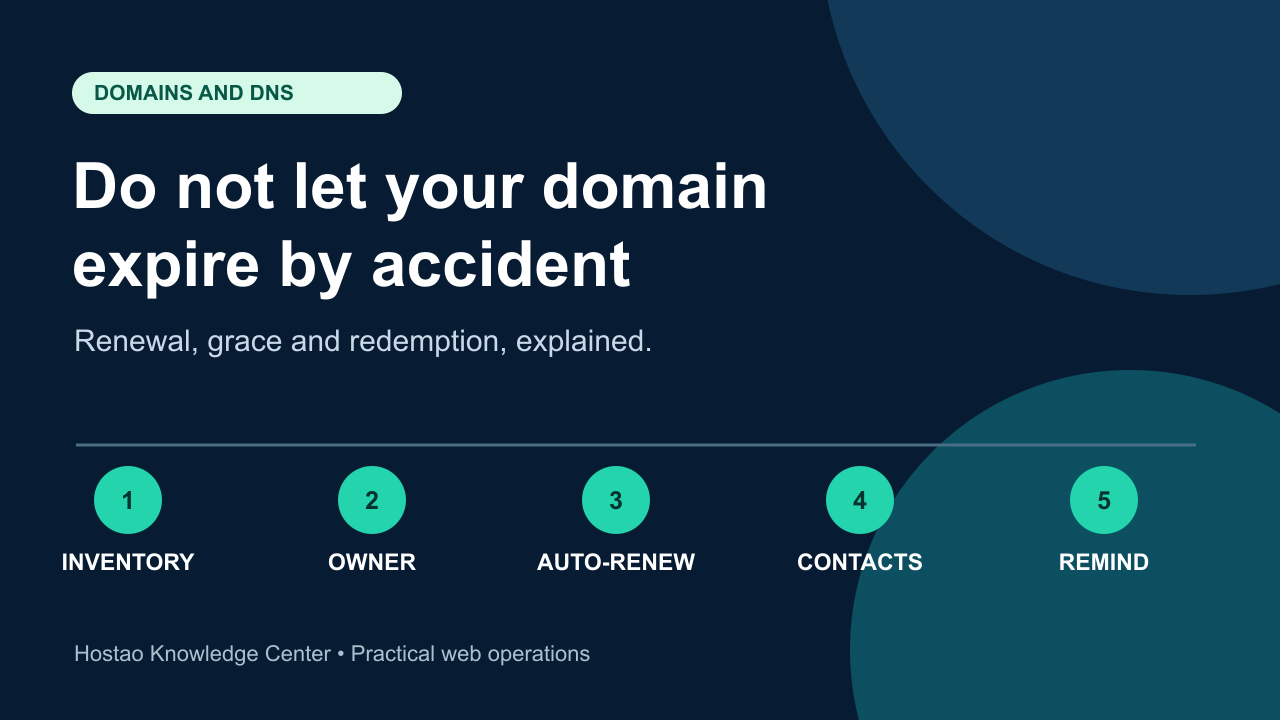
A domain usually stops working because of a quiet administrative failure, not a technical one: auto-renew was off, the saved card had expired, or renewal reminders went to an inbox nobody reads. To protect a business domain, list every domain you own, confirm each expiry date and renewal owner, turn on auto-renewal with a payment method that will still be valid, send renewal notices to an address that does not depend on the same domain, and understand what happens to your website and email if a renewal is missed.
Running an Indian business on a .in address? You can renew your .in at the same flat yearly price. If a domain has already expired, act the same day. The cheapest and fastest recovery is almost always the earliest one.
Why Domain Expiry Hurts More Than It Looks
When a domain expires, the damage is rarely limited to the website. The same domain usually carries business email, login links, payment and invoice links, ad landing pages, QR codes, directory listings and every backlink you have earned.
Under ICANN's Expired Registration Recovery Policy, which applies to generic top-level domains such as .com, .net and .org, a registrar must interrupt the domain's existing DNS resolution for at least the last eight days it can still be renewed (to the extent the registry permits). In practice, this means your website and email can stop working while the domain is still technically recoverable. Customers see a parked or expiry notice page, and messages sent to your business address may bounce.
How the Typical gTLD Expiry Timeline Works
Exact timings depend on the registrar and the extension, but the ICANN rules for generic domains set the following baseline:
- Before expiry: the registrar must send at least two renewal reminders, one roughly a month before expiry and one roughly a week before.
- Within five days after expiry: if the domain has not been renewed or deleted, at least one more notice must be sent with renewal instructions.
- After expiry: registrars may delete an expired registration at any time, and their own agreement decides how long you can still renew at the normal price. Do not assume a fixed number of days.
- Redemption Grace Period: once a gTLD registration is deleted, most registries offer a 30-day Redemption Grace Period. The domain can be restored only through the registrar that deleted it, DNS stays disabled, and transfers are blocked. Restore fees are usually much higher than a normal renewal.
- After redemption: if nobody restores it, the domain is released and anyone can register it, including domain investors who watch for expiring names.
Registrars must publish their renewal, post-expiration renewal and redemption fees, and describe how they send expiry notices. Read those terms for your own provider before you need them.
Country-Code Domains Follow Different Rules
The ICANN policy above covers generic domains. Country-code domains such as .in, .bh, .ae and .qa are governed by their own registries, and their grace periods, restore options and fees can differ significantly. Some extensions have short or no restore windows. If your business depends on a country-code domain, confirm the current renewal and recovery rules for that exact extension with your domain provider instead of relying on .com experience.
The Domain Expiry Protection Checklist
1. Build a Complete Domain Inventory
Most businesses own more domains than they remember. List:
- the main website domain
- domains used only for email
- old brand or product names that redirect to the main site
- country-code versions and common misspellings
- campaign and short-link domains
- domains registered by agencies, developers or former staff on your behalf
For each one, record the registrar or provider, the account that controls it, the expiry date and what breaks if it lapses.
2. Assign One Renewal Owner per Domain
"The developer handles it" is not an owner. Name one person, and a backup, who is responsible for each domain's renewal and who has working access to the account. If a domain is registered in a former employee's or agency's account, move it into a business-controlled account while everyone is still cooperating.
3. Turn On Auto-Renewal and Test the Payment Method
Auto-renewal only works if the payment succeeds. Check:
- auto-renewal is enabled for each important domain, not only on the account
- the saved card or payment method will still be valid on the renewal date
- account credit or billing balance covers the renewal if your provider uses one
- invoices are going to someone who will notice a failed payment
Card expiry dates are one of the most common reasons auto-renewal silently fails.
4. Send Renewal Notices to an Address Outside the Domain
This is the trap that catches many small businesses: renewal reminders go to an address such as info@ on the same domain. When the domain expires and email stops, the post-expiry warnings can no longer reach you. Make sure the account and registrant contact email uses a mailbox that does not depend on that same domain, and that someone monitors it.
5. Renew Core Domains for Multiple Years
For the domain that carries your website and email, renewing several years ahead reduces the number of chances for a renewal to fail. It does not replace monitoring, but it gives you a much larger safety margin if a card or contact detail goes out of date.
6. Lock the Domain and Secure the Account
Expiry and hijacking risks are linked: both depend on who controls the registrar account. Enable the registrar or transfer lock where it is available, turn on two-factor authentication for the domain account, and remove access for people who no longer need it. If you are worried about a domain that has already been moved without permission, read our guide on how to recover a stolen domain.
7. Map What Depends on the Domain
Before a renewal date, know what would fail if the domain stopped resolving:
- website and landing pages
- business email and MX records
- SSL certificates that renew through domain validation
- client portals, booking systems and payment links
- third-party services verified through DNS records
If you need a refresher on how these records fit together, see DNS explained simply and our email hosting setup guide. Certificate renewals that rely on DNS validation are covered in the SSL certificate renewal monitoring checklist.
8. Set Your Own Reminders
Do not rely only on the registrar's emails. Add calendar reminders at 90, 30 and 7 days before each expiry date for the renewal owner and the backup. Uptime monitoring helps you notice quickly if a domain stops resolving; our guide to monitoring website uptime with free tools explains simple options.
What to Do If a Domain Has Already Expired
- Check the current status. Use an RDAP or WHOIS lookup to read the domain's status codes. Statuses such as autoRenewPeriod, redemptionPeriod or pendingDelete tell you roughly where the domain is in its lifecycle.
- Contact the provider that holds the registration immediately. Ask whether the domain can still be renewed at the normal price, whether a restore fee applies, and what the deadline is.
- Do not change DNS or start a transfer. Expired and redemption-period domains generally cannot be transferred, and changing records will not bring the site back until the renewal is processed.
- Pay and confirm in writing. Keep the invoice and confirmation, then confirm the new expiry date shows in the lookup.
- Verify everything comes back. After renewal, test the website, email delivery, SSL certificate and any important forms. DNS changes can take time to reach every network.
- Fix the root cause. Update the payment method, contact email and renewal owner so the same failure cannot repeat.
If the domain has already been deleted and released, recovery may not be possible without buying it from whoever registered it next. That is why the checklist above matters more than any recovery process.
How Hostao Can Help
If Hostao manages your domain, our support team can confirm its expiry date, renewal status and the current renewal rules for that extension. You can also review domain registration options or contact Hostao support before an important renewal date.
FAQ
How long after expiry can I still renew a domain?
It depends on the registrar and the extension. For generic domains, registrars may delete an expired domain at any time and set their own renewal window. After deletion, most gTLD registries offer a 30-day Redemption Grace Period, usually at a higher restore fee. Country-code domains have their own rules.
Will my email stop working when my domain expires?
It can. For generic domains, ICANN rules require the registrar to interrupt DNS resolution for at least the last eight days the domain can still be renewed, where the registry permits. Without working DNS, mail servers cannot find where to deliver your email.
Is auto-renewal enough to protect a domain?
Not on its own. Auto-renewal fails if the payment method is expired, the account has no balance, or the setting is off for that specific domain. Pair it with a valid payment method, a monitored contact email and your own reminders.
Can someone else register my domain if it expires?
Yes. Once the domain completes the redemption and deletion stages and is released, anyone can register it. Valuable or established names are often registered quickly after release.
Do country-code domains like .in or .ae follow the same expiry rules?
No. The ICANN Expired Registration Recovery Policy applies to generic top-level domains. Country-code registries set their own grace and restore rules, so confirm the details for your exact extension with your domain provider.
Editorial Team
Content strategist and editor specializing in web hosting guides, digital marketing, and business growth strategies.
Ready to Get Started with Hostao?
Compare Hostao hosting plans, review the current checkout terms, and choose the right starting point for your website.
View Hosting Plans