 ®
®
The Short Answer
There is no single command that lists every subdomain of a domain. DNS answers questions about names you already know; it does not publish a directory of everything in a zone.
For a domain you manage, the complete list lives in two places: the DNS zone at whichever provider hosts your DNS, and your hosting control panel. Check both, because they do not always agree. For a domain you do not manage, you can only find subdomains that have left public traces, mainly SSL certificate logs, search results and DNS lookups of likely names. Those methods are useful, but none of them is complete.
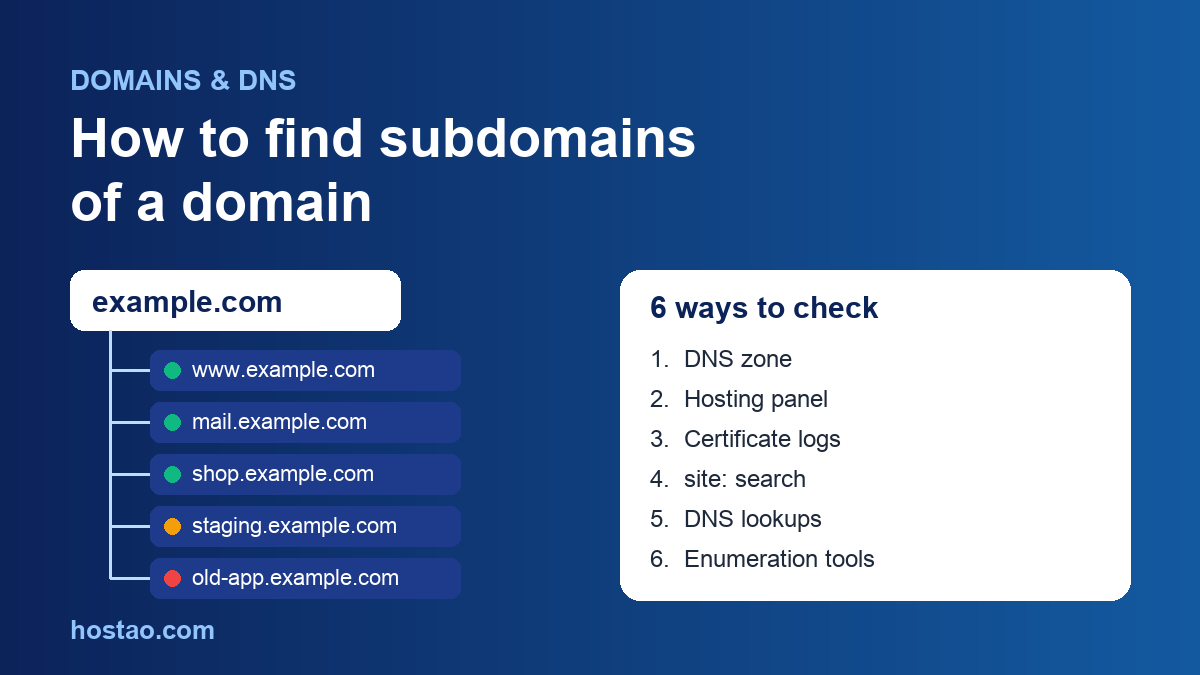
This guide covers six methods in the order we use them when a customer asks "what is actually running on my domain?", plus a short audit checklist at the end.
Why You Cannot Simply Ask DNS for a List
A subdomain such as shop.example.com is just a name inside the example.com zone. When a browser looks it up, it asks the authoritative name servers one precise question: what is the record for this exact name? The servers answer that question and nothing more.
There is a DNS mechanism that copies a whole zone, called a zone transfer (AXFR, defined in RFC 5936). It exists so that secondary name servers can keep a copy of the zone in sync. On properly configured servers, zone transfers are restricted to those secondary servers, so a request from anyone else is refused. If a random person on the internet can pull your full zone with a transfer request, treat that as a configuration problem to fix, not as a feature.
Two other details trip people up:
- Wildcard records. A record for \*.example.com answers for any name that has no record of its own. If a wildcard exists, a lookup for anything-at-all.example.com returns an address, so "it resolves" does not prove that someone created that subdomain.
- Records versus websites. A subdomain can exist in DNS without any website behind it. mail.example.com might only point at a mail server, and an old staging name might point at a server that was switched off a year ago.
Method 1: Read Your DNS Zone (Domains You Manage)
This is the authoritative answer, so start here.
First, find out where your DNS is hosted. Run dig NS example.com +short in a terminal, or use any online NS lookup. The name servers tell you which provider holds the zone:
- Your hosting server (cPanel). Open cPanel » Domains » Zone Editor. It lists your domains and their DNS records. Every A, AAAA and CNAME record whose name sits to the left of your domain is a subdomain: www, mail, shop, staging and so on.
- Cloudflare. Open the DNS Records page for the zone. Cloudflare also lets you export the whole zone as a BIND-format file from Import and Export, which is a handy snapshot to keep.
- Your registrar's DNS. Look for "DNS management" or "advanced DNS" on the domain's settings page.
While you are there, note any wildcard record and any CNAME that points to an outside service (a store platform, an email marketing tool, a help desk). You will need that list later in this guide.
If you are not sure how records and name servers fit together, our plain-English guide to how DNS connects names to websites covers the basics.
Method 2: Check Your Hosting Control Panel
In cPanel, the Domains interface lists the domains on the account, including subdomains you created there with their own document root. In current cPanel versions, new subdomains are added from this same interface with Create a New Domain.
Compare this list with your DNS zone. The differences are where problems hide:
- A subdomain that appears in DNS but not in the panel usually points somewhere else, such as a SaaS tool or another server. That is fine, as long as someone still owns that service.
- A subdomain that appears in the panel but has no matching record in your live DNS will not load. This happens when DNS is hosted outside the server, for example at Cloudflare, and nobody added the record there after creating the subdomain in cPanel.
On Hostao shared hosting and reseller hosting, both lists are in cPanel when the domain uses the hosting name servers. If your DNS is elsewhere, you need both screens open side by side.
Method 3: Search Certificate Transparency Logs
This is the most useful method for domains you do not control, and it often surprises owners of domains they do.
Publicly trusted SSL certificates are recorded in Certificate Transparency (CT) logs. These are public, append-only ledgers, and anyone can search them to see which certificates were issued and for which names. Because nearly every public website now uses HTTPS, the logs end up holding a long history of hostnames.
To use them, search a CT search service such as crt.sh for %.example.com. You will see every certificate that covered a name under that domain, with dates and the issuing authority.
What to expect in the results:
- Service names you never created by hand. On cPanel servers you will often see names such as mail., webmail. and cpanel. because the server's automatic SSL can cover those service subdomains too.
- Old names. The logs are append-only, so subdomains that were deleted years ago still appear. A result proves a certificate was issued, not that the name works today.
- Gaps. A wildcard certificate shows only \*.example.com and hides the real names behind it. Internal systems that use private certificates, or no HTTPS at all, never appear.
There is also a security benefit. CT monitors can alert you when a new certificate is issued for your domain, which is an early warning if someone obtains a certificate you did not request.
Method 4: Use the site: Search Operator
Search site:example.com -site:www.example.com in Google. Google documents that a site: query on a domain includes its subdomains, so excluding www leaves the other hosts that have indexed pages.
This finds public sites that search engines have crawled: blogs, help centers, old landing pages. Google is also clear that site: does not necessarily return every indexed URL, and anything behind a login or blocked from indexing will not show. Treat it as a cross-check, not an inventory.
Method 5: Query Likely Names Directly
When you suspect a particular subdomain exists, ask DNS about it. In a terminal, dig staging.example.com +short returns the address if the name exists and nothing if it does not. On Windows, nslookup staging.example.com does the same job.
Common names worth testing on business domains include www, mail, webmail, cpanel, ftp, blog, shop, store, app, api, portal, support, help, status, dev, test and staging.
Before you trust any answer, check for a wildcard by looking up a name that cannot exist, such as zq8-not-real.example.com. If that returns an address, every guess will "succeed" and this method tells you nothing on its own.
Method 6: Enumeration Tools, With Permission
Security teams use open-source tools such as OWASP Amass to gather subdomains from many passive sources at once, including CT logs, search engines and DNS datasets, and some tools then confirm the results with DNS queries. They save time on large domains.
Use them only on domains you own or have written permission to test. Reading public CT logs and DNS records is passive, but some tools go further and probe servers actively, and running that against someone else's infrastructure can break a provider's terms of service or local law.
Which Method Finds What
| Method | Works for | Finds | Misses |
|---|---|---|---|
| DNS zone | Domains you manage | Every record, including mail and API names | Nothing, if you check the right provider |
| Hosting panel | Your hosting account | Subdomains with their own site folder | Names that point to outside services |
| CT logs | Any domain | Names that ever had a public SSL certificate | Wildcard-only and internal names; shows dead names too |
| site: search | Any domain | Subdomains with indexed public pages | Anything not indexed or behind a login |
| Direct lookups | Any domain | Names you already guessed | Names you did not think of |
| Enumeration tools | Domains you are authorized to test | Combined passive results | Same blind spots as their sources |
Why a Subdomain Audit Is Worth 20 Minutes
Forgotten subdomains cause real incidents. The common ones we see:
- Old staging copies. A staging.example.com running an outdated WordPress install with plugins nobody updates is an easy way in. If you use staging, give it an owner and an end date; our guide to staging environments for WordPress covers how.
- Dangling CNAME records. A subdomain that still points at a deleted cloud service or SaaS account can sometimes be claimed by whoever signs up for that name next. OWASP lists this as subdomain takeover in its Web Security Testing Guide. The fix is simple: delete records for services you have stopped using.
- Certificate renewals. Each live subdomain needs a valid certificate. Add the names you find to your SSL renewal monitoring checklist.
- Migrations. Moving DNS without a full list is how email or a store goes dark on cutover day. Build the inventory first, then follow a DNS TTL cutover checklist.
A 20-Minute Subdomain Audit
- Find your name servers with an NS lookup and note the DNS provider.
- Export or screenshot the full DNS zone from that provider.
- Open your hosting panel's Domains list and compare it with the zone.
- Search CT logs for
%.example.comand add any name you do not recognize to a "check" list. - Run a site: search excluding www for anything public you forgot.
- Look up a random name to see whether a wildcard record exists.
- For each subdomain, write down what it serves, who owns it and whether it is still needed.
- Delete records that point to retired services, and tell the owner of anything you keep.
- Save the list with your domain renewal and ownership records and repeat every six months.
If you host with us and want a second pair of eyes on a zone before a move, open a ticket through Hostao support with the domain name and the list you built.
FAQ
Can I find every subdomain of any website?
No. Without access to the DNS zone, you can only find names that left public traces, such as certificates, indexed pages or names you guess correctly. Combining CT logs, site: searches and DNS lookups gets you close for most public sites, but internal names can stay invisible.
Is it legal to look up a domain's subdomains?
Searching public CT logs and making ordinary DNS lookups uses public information. Active scanning or testing of another organization's systems is different, and you should only do that with permission. If you are unsure, limit yourself to domains you own.
Why does a CT search show subdomains I never created?
Usually because the hosting server requested certificates for its service names, such as mail. or webmail., or because the results include old certificates for names that were removed. Check each one against your current DNS zone.
How do I create a subdomain in cPanel?
Open cPanel » Domains, choose Create a New Domain, enter the full subdomain (for example blog.example.com) and set its document root. If your DNS is hosted outside the server, also add a matching record at your DNS provider.
Does a wildcard record mean every subdomain exists?
No. A wildcard answers for any name without its own record, so lookups succeed for names nobody created. Check the zone itself to see which subdomains were set up on purpose.
Editorial Team
Content strategist and editor specializing in web hosting guides, digital marketing, and business growth strategies.
Ready to Get Started with Hostao?
Compare Hostao hosting plans, review the current checkout terms, and choose the right starting point for your website.
View Hosting Plans