 ®
®
The Short Answer
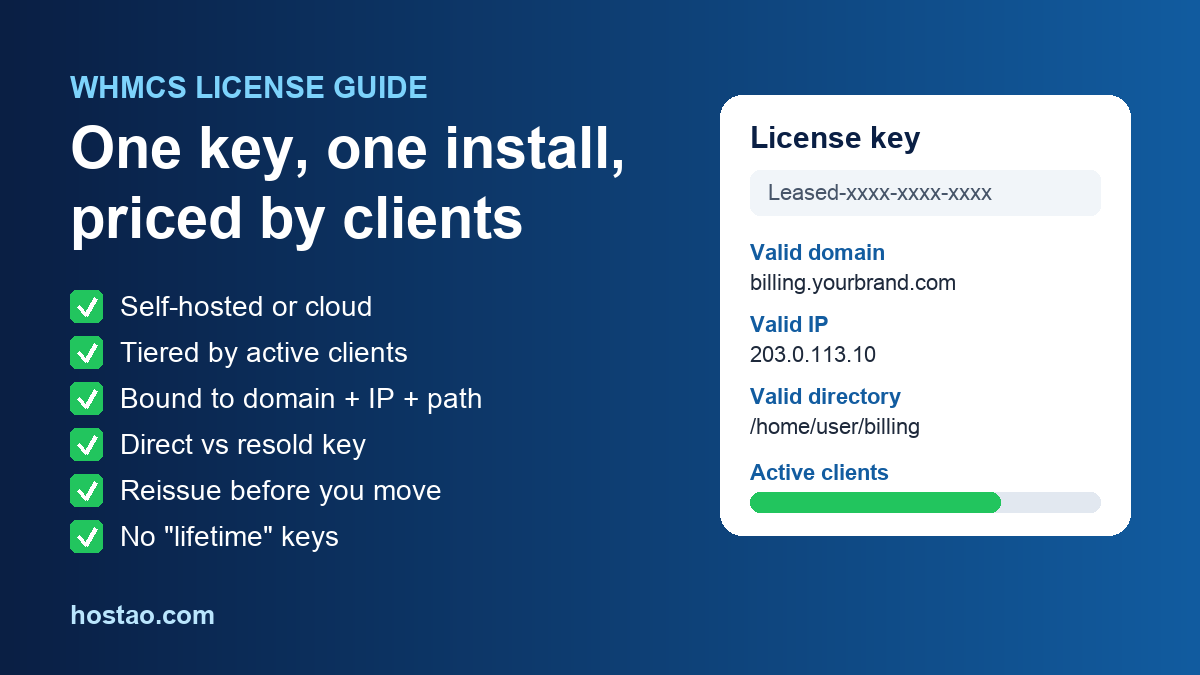
A WHMCS license is the key that lets one installation of WHMCS run. It is tied to a single domain, IP address and directory, and its price depends on how many active clients you manage. You can buy it directly from WHMCS as a monthly self-hosted license, rent the hosted WHMCS Cloud version instead, or get a license through your hosting provider as part of a reseller package. Each route works, but they differ in who can reissue the key, who you call when the client limit is near, and whether a branding line shows to your customers.
If you are about to start a hosting or domain reselling business, the useful question is not "how do I get WHMCS cheaply" but "which license route fits the way I will run billing for the next two years". This guide explains the license types, the current list prices, the rules that catch new resellers out, and how to decide.
What the License Actually Controls
WHMCS is billing and automation software for hosting businesses: client accounts, invoices, payment gateways, support tickets, domain registration and automatic account provisioning on servers such as cPanel/WHM. The software is installed on a server, and the license key is what keeps it running.
Three rules from the WHMCS knowledgebase matter more than anything else:
- One license, one installation. WHMCS says a license is valid for one installation only, and it does not offer any license that covers more than one installation.
- The key is locked to a location. Licenses are bound to a domain, an IP address and a directory path. Move the installation and the license has to be updated.
- Price follows active clients. License pricing is tiered by the number of active client accounts. When you get close to your tier limit, WHMCS shows a notice, and once the limit is reached your ability to manage further clients is restricted until you upgrade.
There is one small exception on domains. If you serve the same brand across several extensions, such as yourdomain.com and yourdomain.net, WHMCS allows the extra parked domains on one license after you ask its licensing team. Different brands, such as brand1.com and brand2.com, are not allowed. That option is also not available when your license comes from a reseller.
WHMCS License Types and Current Prices
WHMCS now sells two families of license on its pricing page: self-hosted, where you install it on your own server, and fully managed (WHMCS Cloud), where WHMCS hosts and updates it for you. These were the published list prices when we checked on 26 October 2026, per month and excluding tax:
| Plan | Hosting | Active clients included | Price per month |
|---|---|---|---|
| Plus | Self-hosted | Up to 250 | US$34.95 |
| Professional | Self-hosted | Up to 500 | US$54.95 |
| Business | Self-hosted | Up to 1,000 (higher tiers up to 10,000) | From US$84.95 |
| Starter | Fully managed | Up to 25, then US$0.40 per extra client | US$9.99 |
| Growth | Fully managed | Up to 100, then US$0.25 per extra client | US$25.00 |
| Expansion | Fully managed | Up to 300, then US$0.25 per extra client | US$75.00 |
A few details from the same page are worth knowing. The self-hosted Business plan adds live chat and access to priority support on top of email support. The Growth cloud plan includes your choice of one premium addon (Project Management or Software Licensing), and Expansion includes both. WHMCS also offers a 30-day money-back guarantee under its terms. Prices change, so treat this table as a snapshot and check the official pricing page before you budget.
What about "owned" licenses?
You will still see forum posts about buying WHMCS once and owning it. That license type was removed from sale in 2016, and WHMCS discontinued Support and Updates for owned licenses on 6 April 2021. An existing owned license keeps working at the version it is on, and WHMCS says security updates remain free for all license holders, within its long-term support rules. To get new versions, an owned-license holder has to buy a monthly license and swap the key. If someone offers you a cheap "lifetime" WHMCS key today, treat it as a warning sign rather than a deal.
Direct License or Reseller-Provided License?
Many hosting companies bundle a WHMCS license with reseller hosting. The software is the same. What changes is who manages the key.
| Question | Direct from WHMCS | Through your hosting provider |
|---|---|---|
| Who reissues the key after a move | You, from the WHMCS client area | Your provider |
| Who upgrades the client tier | You | Your provider |
| Extra parked domains on one key | Possible on request | Not available |
| "Powered by" line for visitors | Not shown on a correctly licensed install | Can show on Starter-tier resold licenses |
| Development license for testing | Available to qualifying direct holders | Not included |
Two of those rows deserve a closer look.
Branding. WHMCS says its client-facing areas are white-labelled, so visitors do not see the WHMCS name. Licenses supplied through resellers may show a "Powered by WHMCompleteSolution" link, and that line is removed by upgrading from the Starter tier to Plus or above through the reseller. If you are a direct customer and still see the line, WHMCS says it means the installation is running at a location that does not match the license.
Moving servers. If you bought the license directly, you reissue it yourself: log in to the WHMCS client area, go to Services, then Licenses & Services, choose the key and click Reissue License. The next visit to your installation saves the new location. If your license came with your hosting package, you have to ask your provider to update it. Plan for that before a migration, not during one.
A development license, which lets you test upgrades or build modules on a second installation, is only offered to people with a monthly license bought directly from WHMCS or an owned license. Resold licenses do not qualify.
Which Route Fits Your Business?
There is no single right answer, but the decision usually comes down to scale and how much server work you want.
You are just starting a reseller business. A license bundled with your reseller hosting is often the lowest-friction start, because billing, provisioning and the license sit with one provider. Check the client tier included, whether branding shows, and how fast your provider handles reissues. On Hostao, WHMCS availability depends on the reseller plan, so confirm it against the plan before you order. Our free WHMCS license options page explains how that works, and the reseller hosting plans show what each plan includes.
You want zero server maintenance. The fully managed cloud plans take updates and backups off your to-do list. They suit small teams that would rather pay per client than patch PHP. Check the module list for the cloud version before you commit, because WHMCS describes it as a curated module set.
You expect hundreds of clients or need custom modules. A direct self-hosted license gives you control over reissues, parked domains and a development license for testing. The trade-off is that you own updates, backups and server security.
Whichever route you pick, write down three numbers before you sign: your expected active clients in 12 months, the tier price at that count, and what the license costs as a share of your monthly revenue. A license that looks cheap at 30 clients can become one of your largest fixed costs at 300.
Five Mistakes New Resellers Make With WHMCS Licenses
- Counting clients wrong. The tier is based on active client accounts, not on services or domains. One client with ten hosting accounts is still one client, but clients you no longer serve keep counting if their accounts are left active. Close or deactivate them regularly.
- Installing first, deciding the URL later. Because the key binds to a domain and directory, install WHMCS at its final address, such as billing.yourbrand.com, from day one.
- Ignoring the branding question. If your clients will see your billing area, check whether a "Powered by" line will appear before you launch, not after your first invoice goes out.
- Forgetting the license in a migration. Moving servers without updating the license leaves the admin area showing a license error. Add the reissue step to your migration checklist.
- Buying unofficial keys. Nulled or "lifetime" keys put your client data, payment details and server at risk. A billing system is the last place to cut corners.
Once the license is sorted, the setup work begins. Our WHMCS setup checklist for new hosting resellers covers the ten steps before your first order, and if you plan to sell domains too, how to become a domain reseller covers registrar choice and renewal pricing. Growing past a single reseller account? See master reseller hosting explained.
FAQ
Is WHMCS free?
No. WHMCS is commercial software that needs a paid license. Some hosting providers include a license with certain reseller plans, which is why you see "free WHMCS" offers: the provider pays for the license and bundles it into the plan.
Can I use one WHMCS license on two websites?
No. WHMCS says a license is valid for one installation only. On a direct license you can ask to add parked domains that share the same brand name, but a second brand needs its own installation and license.
What happens when I reach my client limit?
WHMCS shows a notice as you approach the limit. When the limit is reached, managing further clients is restricted until you move to the next tier. With a resold license, you contact your provider to upgrade.
How do I move WHMCS to a new server?
Copy the files and database, then update the license location. Direct license holders reissue it in the WHMCS client area. If the license came with your hosting, ask your provider to reissue it.
Does a WHMCS license include support?
Self-hosted monthly licenses bought directly include email support, and the Business plan adds live chat. With a resold license, your first line of support is usually the provider that supplied it.
Not sure which Hostao plan includes WHMCS? Contact Hostao with your expected client count and we will tell you what fits.
Sources
- WHMCS: Pricing and Plans
- WHMCS Knowledgebase: Can I use my WHMCS license on more than one domain?
- WHMCS Knowledgebase: Client Limit Approaching for Resold Licenses
- WHMCS Knowledgebase: Can I remove the "Powered by WHMCS" link?
- WHMCS Knowledgebase: I just moved my WHMCS installation and need to update the license
- WHMCS Knowledgebase: Support and Updates Expiration
- WHMCS Knowledgebase: Can I have an additional license key for our test server before going live?
Editorial Team
Content strategist and editor specializing in web hosting guides, digital marketing, and business growth strategies.
Ready to Get Started with Hostao?
Compare Hostao hosting plans, review the current checkout terms, and choose the right starting point for your website.
View Hosting Plans